Cleo writes the reply. You press send.
When a customer writes, Cleo can suggest a reply from the customer's orders, appointments and your prices — plus the actions that go with it, like moving a visit or adding a note. You read the suggestion, adjust it and send it yourself. Over time Cleo learns your tone from the replies you send.
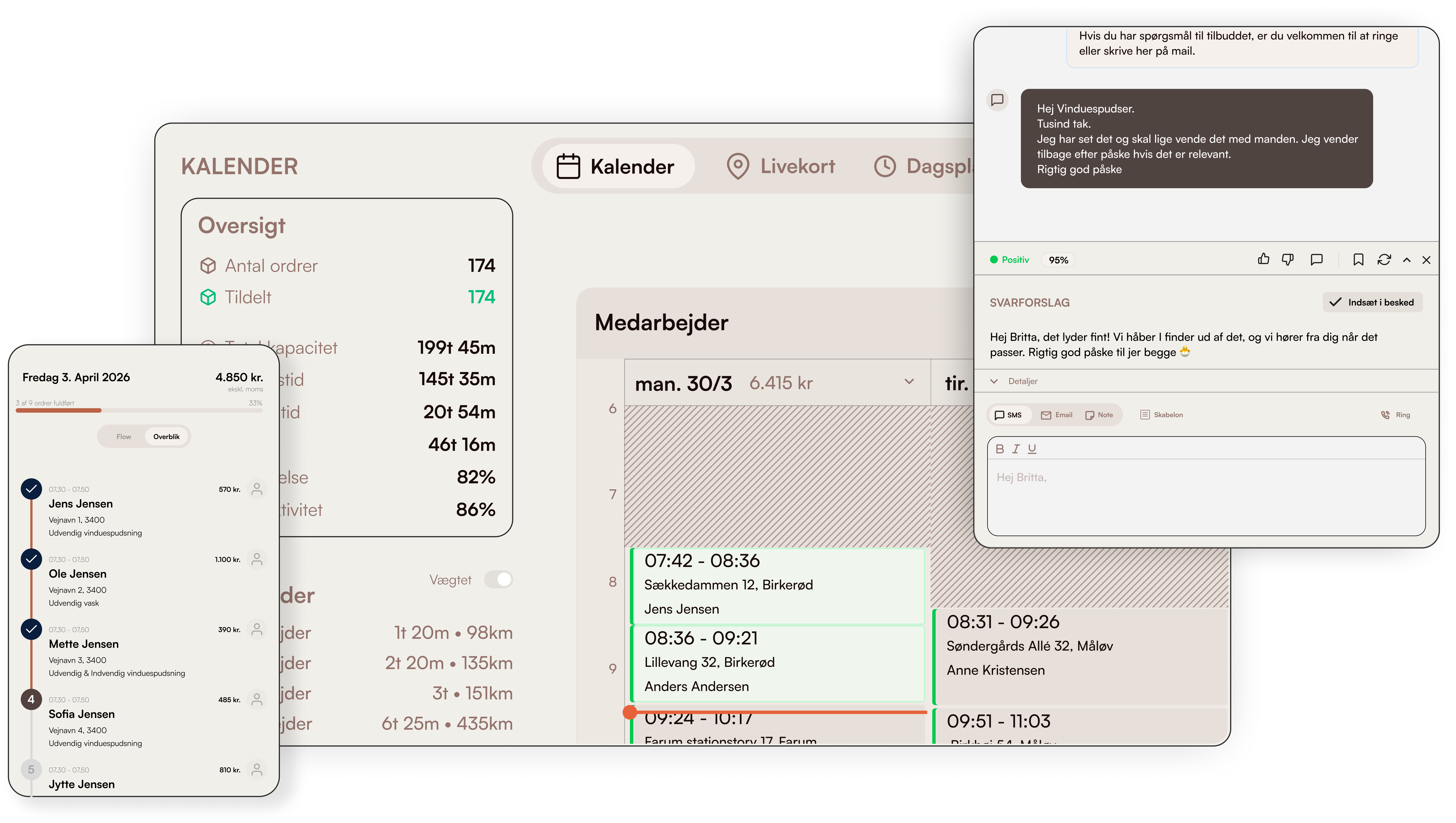
What's inside Cleo
Reply suggestions in the conversation
Press "Generate AI suggestion" in a conversation and Cleo writes a reply from the customer's orders, appointments and your prices. You insert it into the message, adjust it and send it yourself — nothing is sent automatically.
Proposed actions — one click
With the reply, Cleo proposes the actions that fit the enquiry: reschedule a visit, add a note, update the customer's time preferences, or convert and close a lead. Press "Execute" and it's done.
Learns your tone
Cleo learns from the replies you send and from your thumbs up and down on its suggestions — so the suggestions sound more and more like you.
Call transcription
On Enterprise, calls can be transcribed, with key points and a conversation analysis on the call — instead of notes written by hand afterwards.
How service businesses use Cleo
Window cleaners
A customer writes that she's away on Thursday → Cleo suggests a reply with a new time and the action "reschedule the visit" → you tweak a detail, send, and press "Execute".
Read more about this industryCleaning companies
A housing association asks what an extra stairwell would cost → Cleo writes a reply from your prices → you read it through and send.
Read more about this industryPlumbers & electricians
An urgent call is transcribed → the key points sit on the call, so the colleague who takes the job knows what the customer said.
Read more about this industryModules Cleo works with
Communication
Calls, SMS & email in one thread
All customer dialogue in one chronological thread. Calls are transcribed. SMS reminders are sent automatically.
Learn moreLeads
Pipeline & follow-up
Capture leads from Facebook and website forms. Send quotes with maps and aerial photos. Follow up automatically.
Learn moreWorkflow
Automate the repetitive
Pick the data, the schedule, and the recipient. The workflow sends the message — or files the summary in your inbox.
Learn moreFrequently asked questions about Cleo
What can Cleo do?
Does Cleo send replies without me?
What does Cleo cost?
Does Cleo transcribe calls?
Can we turn AI off?
Go deeper on cleo
Trades using this module, problems it solves, integrations it fits with, and articles where we go into detail.
Trades where this module makes a difference
How cleo is used in the trades we work most closely with.
Window cleaners
Classic case: fixed routes, subscriptions and fast morning dispatch.
Read moreCleaning
Contracts, key tracking and hour-based invoicing — built for cleaning companies.
Read morePlumbing
Urgent dispatch, project jobs and time/materials tracking.
Read moreHVAC
Equipment register, urgent dispatch and mandatory inspections.
Read moreElectrician
Service visits, case tracking and invoicing with on-site materials.
Read moreProblems this module solves
Deep dives into the operational challenges this module addresses — from route optimization to customer portal.
Integrations that fit
Tools Clientflow connects directly with — so data never has to be entered twice.
Read more
Our own articles on the topic — from concrete numbers to strategic choices.
Lead system for tradespeople
How to capture, qualify and convert leads — without losing 30-50% in the cracks.
Read moreFrom 10 programs to one
What actually happens when a service business consolidates operations.
Read more5 signs you're ready for one system
When Excel and SMS no longer cut it — what the threshold looks like.
Read moreWhy we built Clientflow
Daniel tells the story behind the platform — and why the trade needed something new.
Read moreHow to use it in practice
Help center articles — for when you want to look under the hood.
Compare with alternatives
How Clientflow stacks up against other tools in the market.
Ready to run your entire
business in one system?
Try the demo for 7 days — real data. We help you get started.