The routine runs itself. You decide whether the customer hears about it.
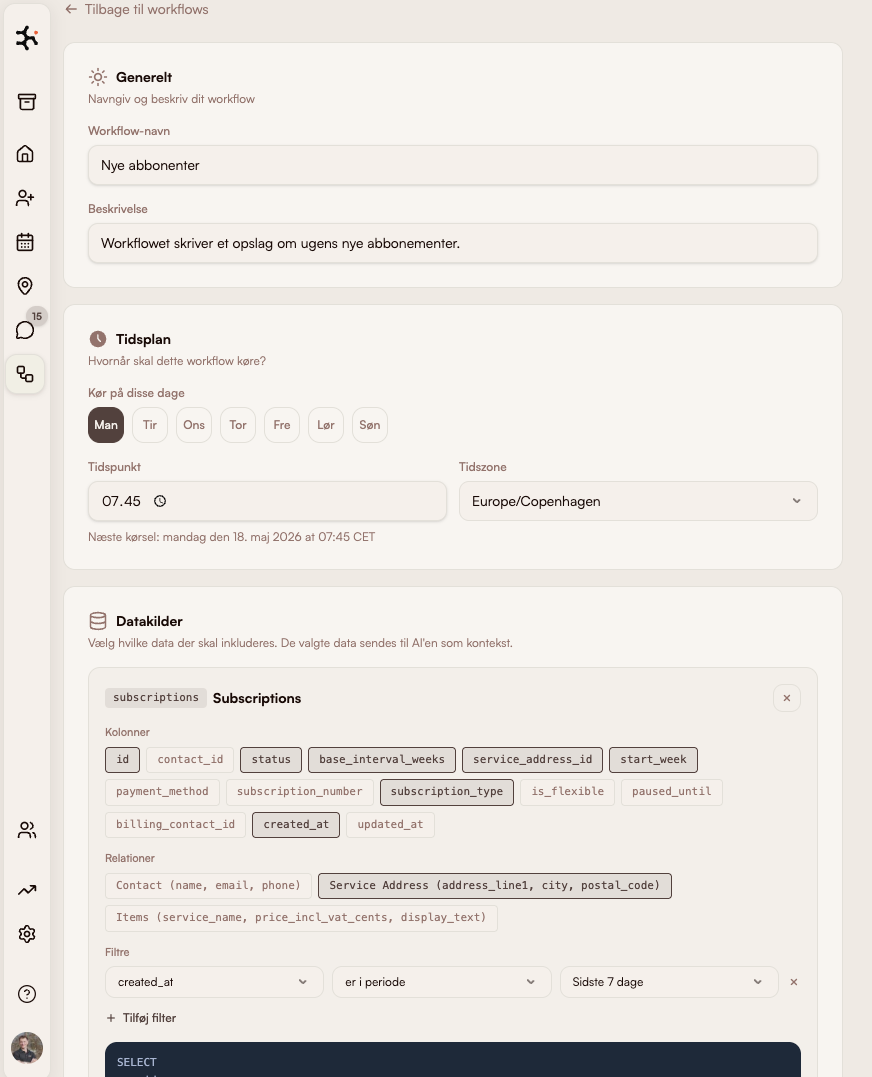
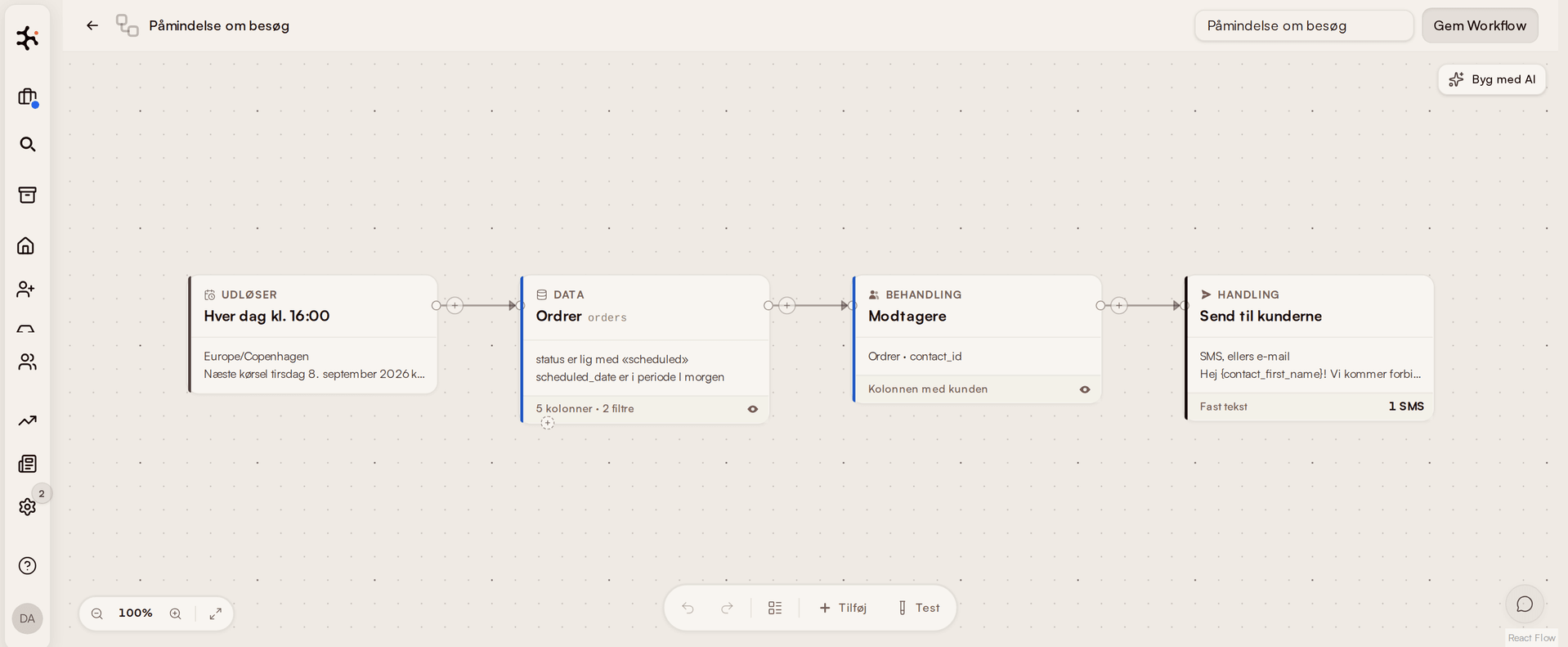
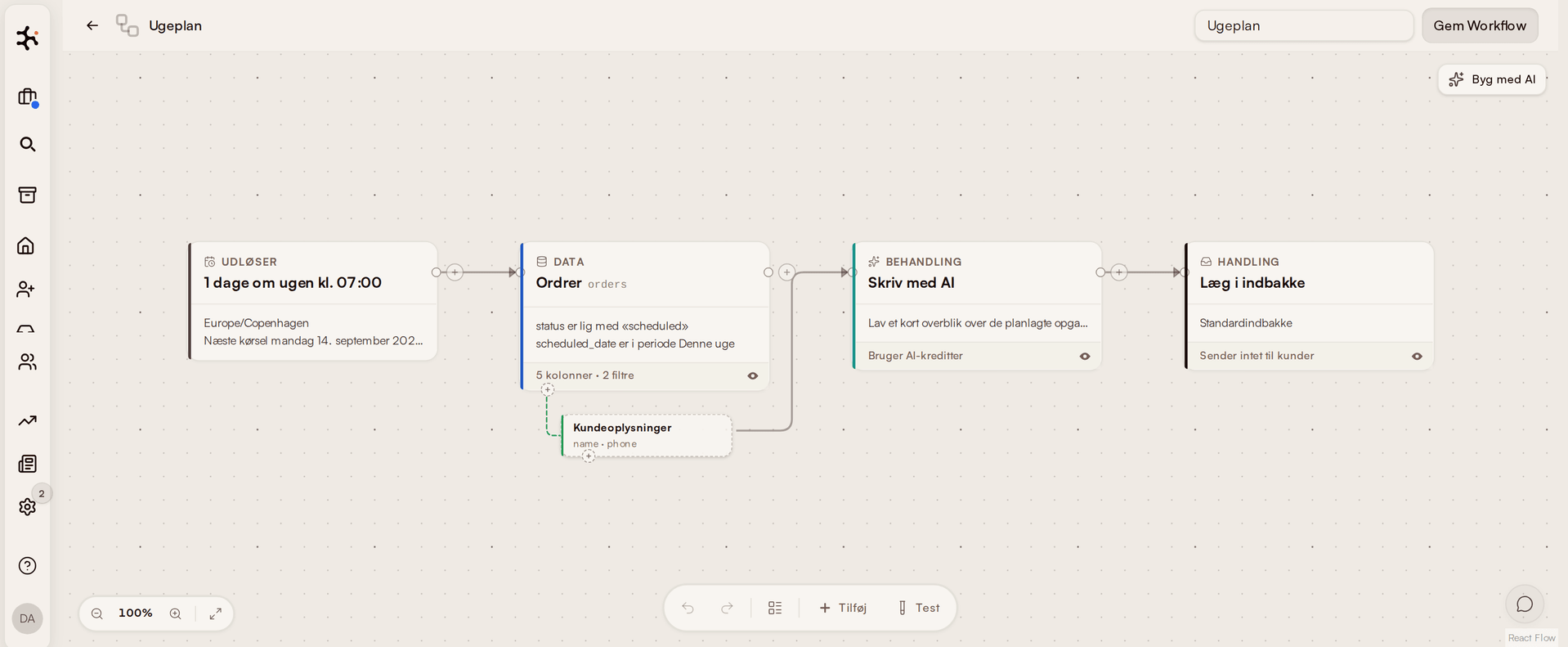
A workflow pulls data from your own system — jobs, quotes, subscriptions, leads — on the schedule you set. Then it either messages the customers the query found, or lets the AI write the summary and file it in your own inbox. You set it up once, and you can see exactly what it finds before you switch it on.
What's inside Workflow
Six ready-made starting points
Ask for a review after a completed job, remind customers about tomorrow's visit, pull the week's plan together on Monday morning. One click builds the workflow against your own data — and you can change all of it afterwards.
Your own data as the source
Pick tables, columns, and filters across customers, addresses, jobs, subscriptions, leads, quotes, and messages. The query can be previewed before you save.
To the customer — or only to you
Every workflow states plainly whether it sends SMS or email to customers, or whether the summary lands only in your own inbox. It's never something you find out afterwards.
Reacting to incoming messages
When a message lands in the inbox: pull the fields out of it, find or create the contact, write a note, close the conversation. That kind runs with no AI and no credits.
How service businesses use workflow automation
Subscription window cleaners
Monday 07:00, a workflow gathers the week's scheduled visits into one overview in the office's own inbox. The day before each visit, an SMS goes to the customer — two workflows, both built from a ready-made template.
Read more about this industryCleaning companies
At 17:00 every day, the workflow finds the jobs you completed that same day and asks the customer for a review. No list to keep track of, and no customer asked twice.
Read more about this industryPlumbers, electricians & all service businesses
Monday 08:00, the quotes expiring within 30 days that still haven't been answered land in your own inbox — written up by the AI, so you can work the phone that same morning. Customers get nothing.
Read more about this industryModules that pair with Workflow
Leads
Pipeline & follow-up
Capture leads from Facebook and website forms. Send quotes with maps and aerial photos. Follow up automatically.
Learn moreCommunication
Calls, SMS & email in one thread
All customer dialogue in one chronological thread. Calls are transcribed. SMS reminders are sent automatically.
Learn moreInvoicing
Invoice from the job
One-click invoicing. Syncs to e-conomic, Dinero, or Billy. MobilePay supported.
Learn moreFrequently asked questions about workflow automation
Do I need to code to build a workflow?
When does a workflow run?
Could a workflow message my customers without me noticing?
Can I see what a workflow does before it goes live?
Does this replace Zapier or Make?
Which plan do I need for Workflow?
Go deeper on workflow
Trades using this module, problems it solves, integrations it fits with, and articles where we go into detail.
Trades where this module makes a difference
How workflow is used in the trades we work most closely with.
Window cleaners
Classic case: fixed routes, subscriptions and fast morning dispatch.
Read moreCleaning
Contracts, key tracking and hour-based invoicing — built for cleaning companies.
Read morePlumbing
Urgent dispatch, project jobs and time/materials tracking.
Read moreHVAC
Equipment register, urgent dispatch and mandatory inspections.
Read moreElectrician
Service visits, case tracking and invoicing with on-site materials.
Read moreProblems this module solves
Deep dives into the operational challenges this module addresses — from route optimization to customer portal.
Recurring contracts
How to handle recurring customers and repeat invoicing without manual work.
Read moreAutomatic invoicing
Invoice generated from the job — straight to Dinero, Billy or e-conomic.
Read moreCustomer portal
Let customers view history, book new visits and pay invoices directly.
Read moreLead management
Capture leads from website, Facebook and phone calls — and lose none.
Read moreRead more
Our own articles on the topic — from concrete numbers to strategic choices.
Automatic invoicing for service businesses
How much the invoice tail costs you — and how auto-invoicing eliminates it.
Read moreFrom 10 programs to one
What actually happens when a service business consolidates operations.
Read more5 signs you're ready for one system
When Excel and SMS no longer cut it — what the threshold looks like.
Read moreWhy we built Clientflow
Daniel tells the story behind the platform — and why the trade needed something new.
Read moreHow to use it in practice
Help center articles — for when you want to look under the hood.
Compare with alternatives
How Clientflow stacks up against other tools in the market.
Ready to run your entire
business in one system?
Try the demo for 7 days — real data. We help you get started.