The customer's full history — on one screen.
The customer registry pulls everything about a customer together: past jobs, invoices, calls, SMS, photos, and notes. DAWA integration ensures correct Danish addresses, and aerial photos show the property from above.
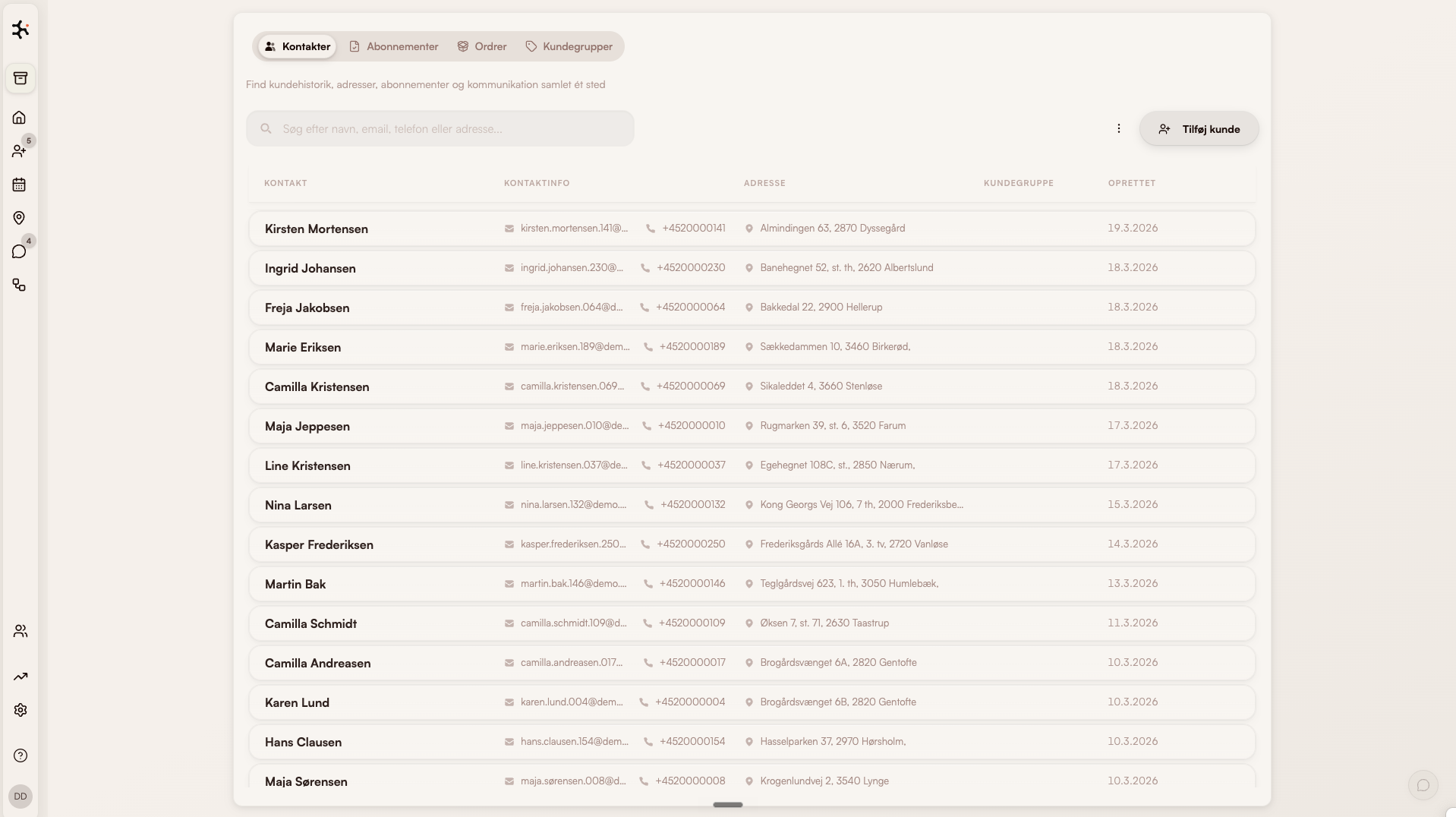
What's inside Customer registry
Complete customer history
Past jobs, invoices, photos, and communication — chronological, per customer.
DAWA addresses
Correct Danish addresses with autocomplete. No typos in postcodes or street names.
Aerial photos
See the property from above right from the customer card — useful for pricing and planning.
Searchable registry
Find customers by name, address, phone, or notes — in under a second.
How service businesses use the customer registry
Window cleaners
New customer entered with DAWA autocomplete → aerial photo appears automatically → prior visits, photos, and payment history collected on one card reused every time the route passes.
Read more about this industryCleaning companies
Manager can pull up a contract and see: which crew has been there, any complaints, key inventory, alarm codes, and special agreements — all on one page.
Read more about this industryPlumbing, electrical & HVAC
Technician pulls up the customer before the visit and sees full service history: installed equipment, warranties, last service, and photos from the previous visit — no 'let me call the office'.
Read more about this industryModules that pair with Customer registry
Leads
Pipeline & follow-up
Capture leads from Facebook and website forms. Send quotes with maps and aerial photos. Follow up automatically.
Learn moreCommunication
Calls, SMS & email in one thread
All customer dialogue in one chronological thread. Calls are transcribed. SMS reminders are sent automatically.
Learn moreInvoicing
Invoice from the job
One-click invoicing. Syncs to e-conomic, Dinero, or Billy. MobilePay supported.
Learn moreFrequently asked questions about CRM and customer registry
Can I import my existing customer registry?
What is DAWA and why does it matter?
How many customers can I have in the registry?
Can I attach documents and photos?
How is GDPR handled for customer data?
Go deeper on customer registry
Trades using this module, problems it solves, integrations it fits with, and articles where we go into detail.
Trades where this module makes a difference
How customer registry is used in the trades we work most closely with.
Window cleaners
Classic case: fixed routes, subscriptions and fast morning dispatch.
Read moreCleaning
Contracts, key tracking and hour-based invoicing — built for cleaning companies.
Read morePlumbing
Urgent dispatch, project jobs and time/materials tracking.
Read moreHVAC
Equipment register, urgent dispatch and mandatory inspections.
Read morePest control
Service contracts with digital treatment reports and documentation.
Read moreLandscaping
Seasonal planning and weather-aware route optimization.
Read moreProblems this module solves
Deep dives into the operational challenges this module addresses — from route optimization to customer portal.
Integrations that fit
Tools Clientflow connects directly with — so data never has to be entered twice.
e-conomic
Sync customers, invoices and payments with e-conomic.
Read moreDinero
Send invoices straight from the job to Dinero — no double entry.
Read moreBilly
Invoice via Billy — customer data stays in sync both sides.
Read moreStripe
Saved cards are charged automatically when the job completes — or the customer pays by card, Apple Pay, Google Pay or MobilePay.
Read moreSkråfoto
View the property's facades and windows before quoting — straight from the address.
Read moreRead more
Our own articles on the topic — from concrete numbers to strategic choices.
From 10 programs to one
What actually happens when a service business consolidates operations.
Read more5 signs you're ready for one system
When Excel and SMS no longer cut it — what the threshold looks like.
Read moreHow to start a window cleaning business
Practical guide to registration, equipment, pricing, customers and software.
Read moreWhy we built Clientflow
Daniel tells the story behind the platform — and why the trade needed something new.
Read moreHow to use it in practice
Help center articles — for when you want to look under the hood.
Contacts & customers
The customer card, segments, notes and service history.
Read moreSubscriptions & recurring contracts
How to set up recurring agreements — price, frequency and auto-invoicing.
Read moreGetting started
Day one in Clientflow — creating customers, the calendar and your first route.
Read moreCompare with alternatives
How Clientflow stacks up against other tools in the market.
Ready to run your entire
business in one system?
Try the demo for 7 days — real data. We help you get started.