See the whole fleet on one map — and dispatch to the closest crew member.
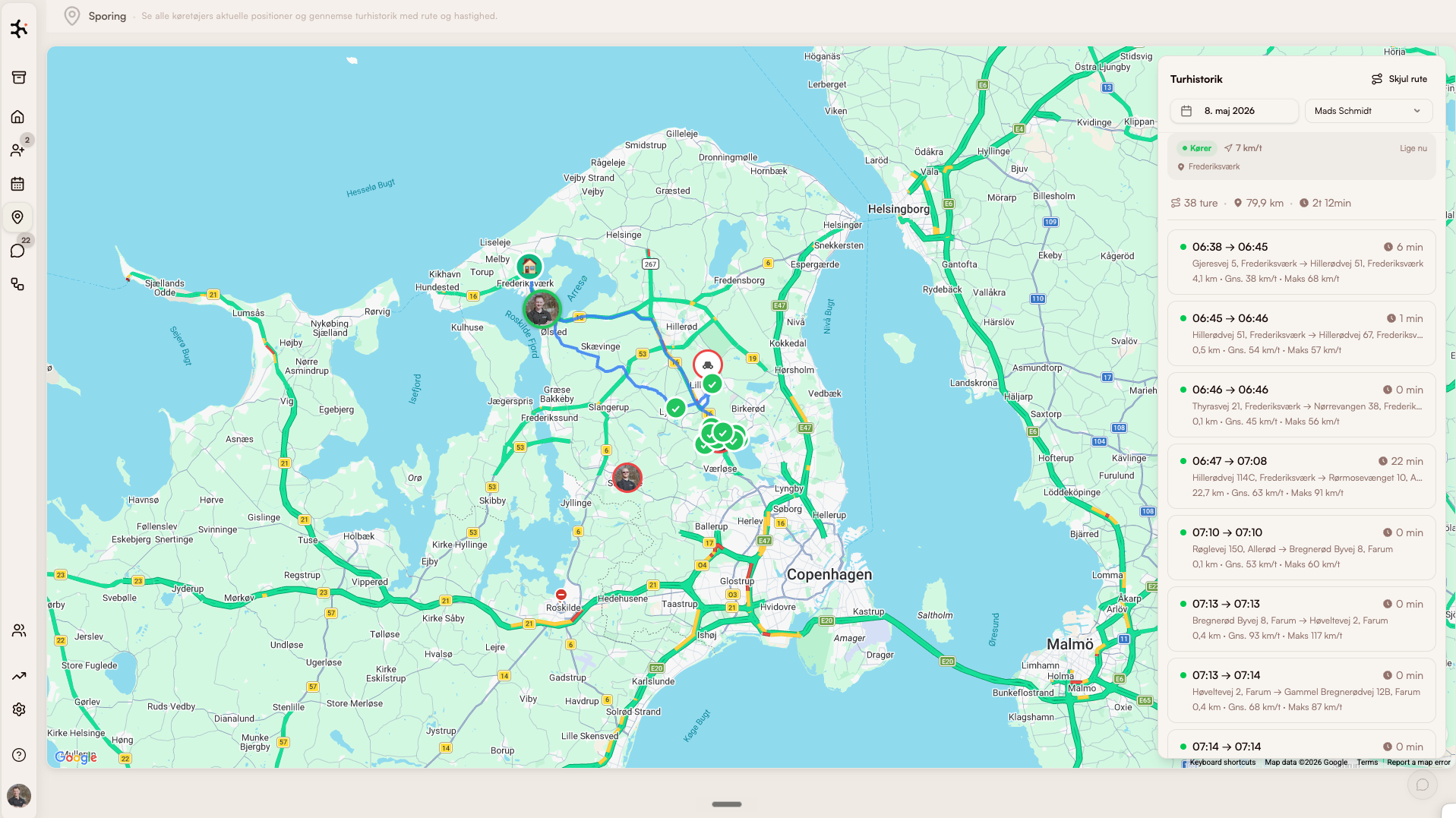
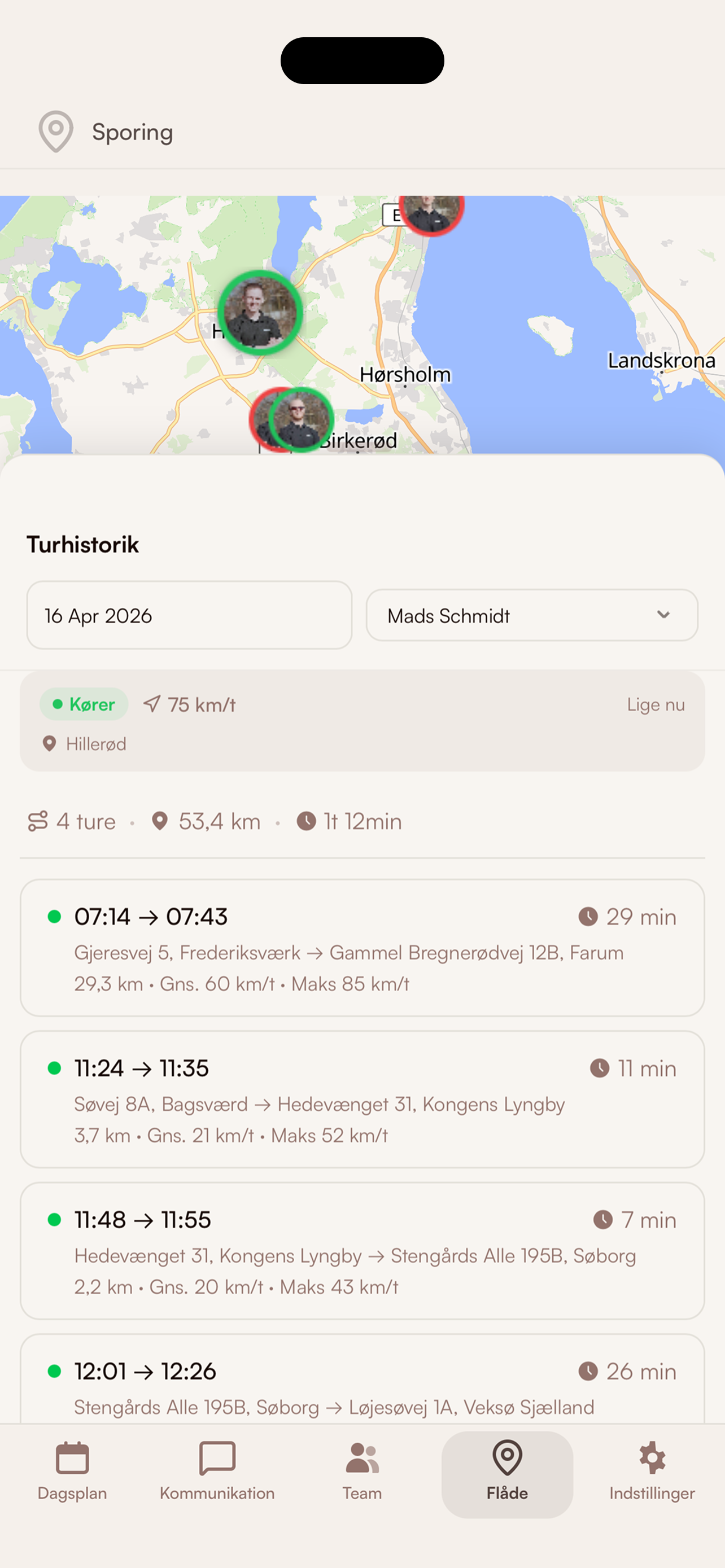
The fleet module shows live GPS for every crew member via the mobile app. When an urgent job comes in, you instantly see who's closest — and dispatch with one click.
What's inside Fleet / GPS
Live GPS map
Real-time positions for every crew member — in your browser or on mobile.
Dispatch to nearest
Urgent job? The system suggests the closest crew — approve with one click.
Accurate customer ETAs
Customers get automatic SMS like 'we'll be there in 20 minutes' based on live position.
Vehicle history
See where a vehicle has been today, yesterday, or last week — useful for proof and payroll.
How service businesses use GPS fleet management
Plumbers & electricians
Urgent call comes in at 14:00 → office instantly sees which technician is closest → dispatches with one click → customer gets SMS 'Henrik will be there in 18 minutes'.
Read more about this industryPest control
Urgent jobs with tight deadlines → live GPS reveals who can realistically arrive within the customer's window, so promises and delivery match.
Read more about this industryCleaning companies
Manager confirms the cleaning crew arrived on time — without phoning around. Also used as proof for billing disputes.
Read more about this industryModules that pair with Fleet / GPS
Route planning
Optimized routes, automatically
Optimizes the day's routes based on addresses, opening hours, and skills. Adapts to changes in real time.
Learn moreDay plan
Today's jobs in your pocket
Crews get the day's jobs, addresses, and checklists right in the app. One tap: navigate.
Learn moreCommunication
Calls, SMS & email in one thread
All customer dialogue in one chronological thread. Calls are transcribed. SMS reminders are sent automatically.
Learn moreFrequently asked questions about GPS and fleet management
How does GPS tracking work?
Is it legal to GPS-track crew in Denmark?
Are crew tracked off-hours?
Where is data stored?
What happens when crew loses signal?
Go deeper on fleet / gps
Trades using this module, problems it solves, integrations it fits with, and articles where we go into detail.
Trades where this module makes a difference
How fleet / gps is used in the trades we work most closely with.
Window cleaners
Classic case: fixed routes, subscriptions and fast morning dispatch.
Read moreCleaning
Contracts, key tracking and hour-based invoicing — built for cleaning companies.
Read morePlumbing
Urgent dispatch, project jobs and time/materials tracking.
Read moreHVAC
Equipment register, urgent dispatch and mandatory inspections.
Read moreLandscaping
Seasonal planning and weather-aware route optimization.
Read moreProblems this module solves
Deep dives into the operational challenges this module addresses — from route optimization to customer portal.
Read more
Our own articles on the topic — from concrete numbers to strategic choices.
How smarter routes pay for themselves
Concrete numbers: how much drive time and fuel an AI route actually saves a small business.
Read moreFrom 10 programs to one
What actually happens when a service business consolidates operations.
Read moreWhy we built Clientflow
Daniel tells the story behind the platform — and why the trade needed something new.
Read moreHow to use it in practice
Help center articles — for when you want to look under the hood.
Compare with alternatives
How Clientflow stacks up against other tools in the market.
Ready to run your entire
business in one system?
Try the demo for 7 days — real data. We help you get started.