Export your customers from SkvizBiz
Getting started with Clientflow and coming from SkvizBiz? The first step is to pull your customers out of SkvizBiz so we can move them into Clientflow for you. It's quick — you navigate to the customer overview and download one combined backup export.
In SkvizBiz all your customers live under Kunder → Kundeoversigt (Customers → Customer overview), and the entire register can be downloaded with a single click on "Backup-udtræk af kunder" (Backup export of customers). The export contains your customers with name, address, interval and assigned employee — exactly what we need to set you up in Clientflow.
So you download one file. Once it's downloaded, you send it to us and we handle the rest.
The screenshots below are from the Danish SkvizBiz interface, but the buttons sit in the same place regardless of language.
1. Go to "Kunder" → "Kundeoversigt" (Customers → Customer overview)
Click Kunder (Customers) in the blue menu at the top. A menu unfolds — choose Kundeoversigt (Customer overview) at the top of the list.
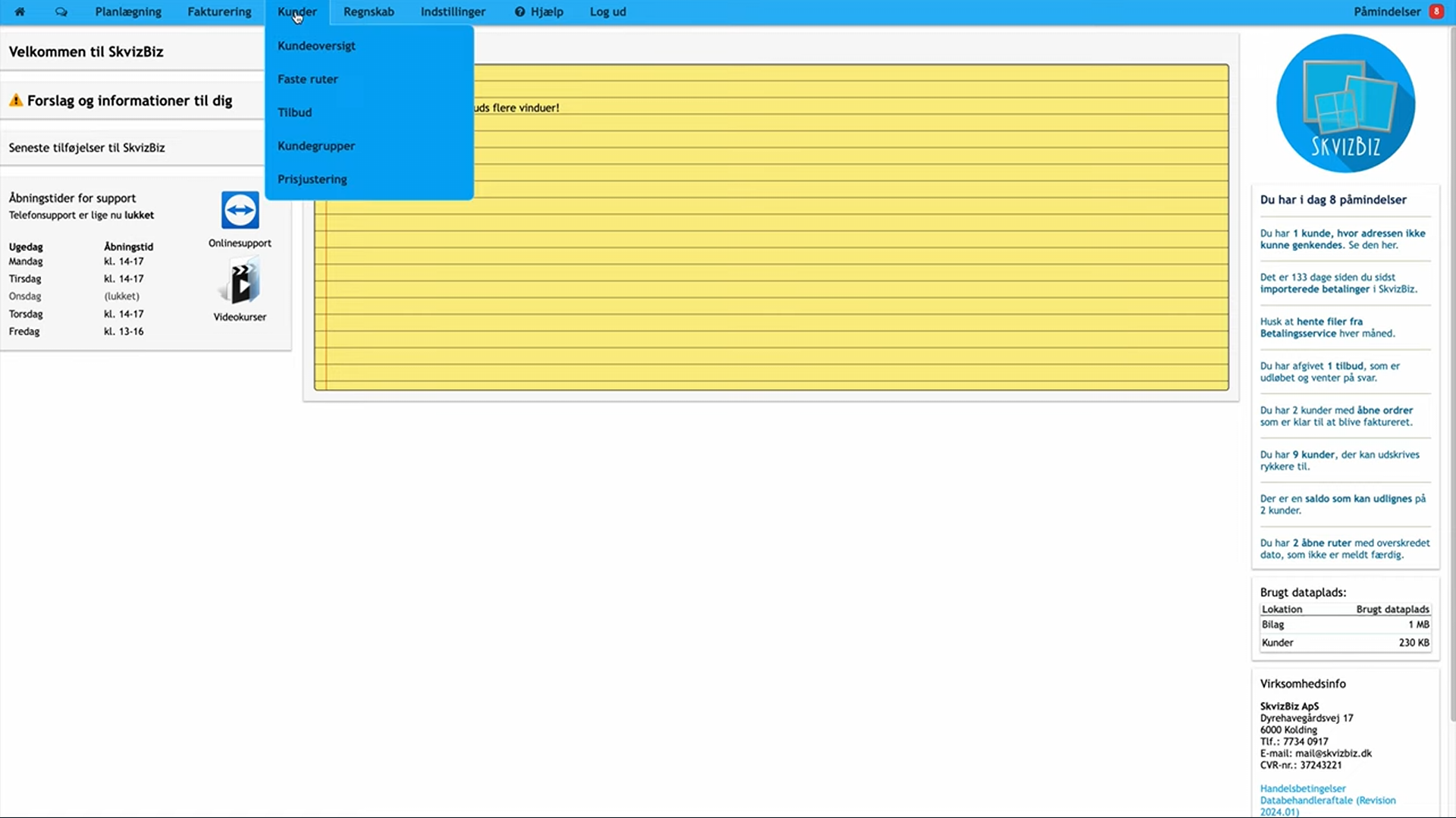
You now land on the customer register, where you can see all your customers in rows with customer number, name, address, interval and employee.
2. Click "Backup-udtræk af kunder" (Backup export of customers)
In the panel on the right of the customer overview you'll find the "Backup-udtræk af kunder" (Backup export of customers) button, with the download icon. Click it.
SkvizBiz now generates a combined export of your entire customer register and downloads the file to your computer.
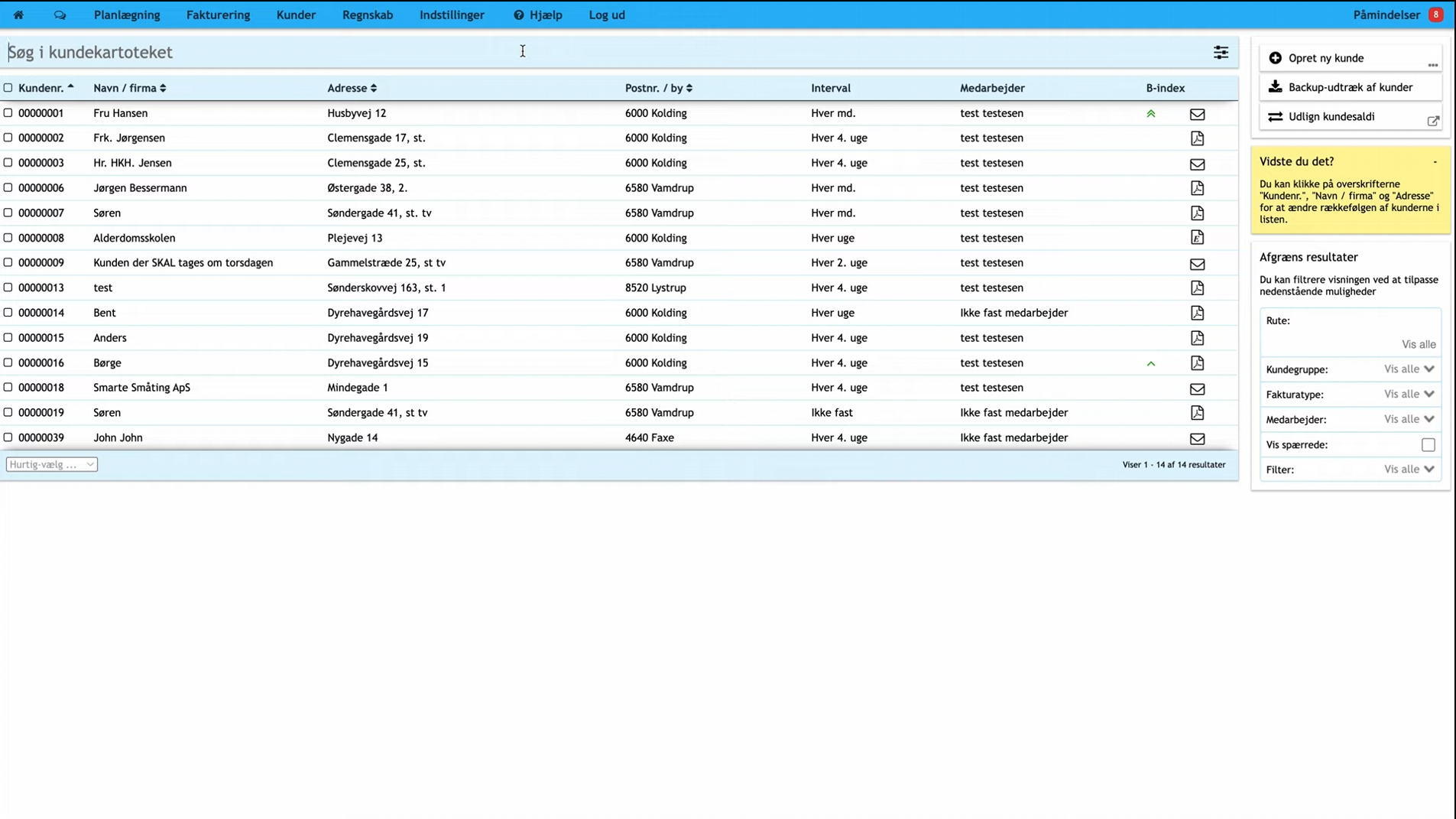
Save the file somewhere you can find it again — usually in your "Downloads" folder. That's the export done.
Send the file to us
You now have your backup file with all your customers. The last step is to send it to us:
- Find the backup file on your computer (usually in your "Downloads" folder).
- Attach it to an email to support@clientflow.nu.
- We can also offer an encrypted transfer if you have specific requirements for how your data is stored.
As soon as we have the file, we import your customers into Clientflow — and you're ready to get started.